Slime Out Fish Wiki Links
Official game, Discord, group, and fan-wiki hub shortcuts.
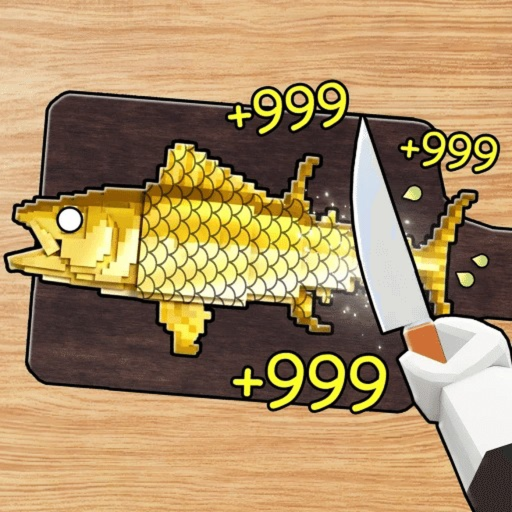
This Links page gathers official and community destinations for Slime Out Fish (Roblox experience also titled Scale Slimy Fish) plus shortcuts into the rest of this fan wiki. Bookmark it when you need the play button, Discord invite, or a clean path back to guides and tier lists.
Official Roblox experience
Play here (place ID 82208825713916):
Creator line: Scale the Deeps. The experience launched June 10, 2026. Servers host up to six players. Core loop on the storefront matches what this wiki documents: catch slimy fish, scrape scales with a knife, feed hungry animals for Cash, upgrade rods and knives.
Always join through Roblox’s official page or app. Never trade passwords, Robux, or “free admin” offers that appear in random server chat.
Discord and group
Community Discord invite used by Scale the Deeps players:
Join for patch chatter, code drops, and weather talk—but treat every download link or third-party “script” pitch with extreme caution. This wiki’s scripts policy (if present elsewhere) does not replace your own judgment; avoid malware and account-stealers.
Look up the Scale the Deeps group on Roblox from the official experience page’s creator links when you want group walls, allies, or announcements. Group ranks never need your password.
Fan wiki disclaimer
slime-out-fish.wiki is a fan-made guide site. It is not owned by Roblox Corporation or Scale the Deeps. Item prices, weather multipliers, and code lists can change when the developers ship updates. We aim for accuracy using documented mechanics—catch → perfect scrape → feed ducks → upgrade; weather tables for Sunny, Night, Aurora, Rainy, Thunder, Meteor; Thunder Siam Starlight turn-ins; bait multi-catch; luck potions and totems—but patches win over any frozen paragraph.
If something on the live game disagrees with a page, trust the game client, then check Updates after we revise. Do not harass developers with wiki text as “proof” of a bug unless you can reproduce it in-experience.
Roblox™ is a trademark of Roblox Corporation. Scale Slimy Fish / Slime Out Fish content belongs to its respective creators. Screenshots and icons on this site are used for educational wiki purposes.
Start here on the wiki
New players:
- Getting Started — day-one codes, like chest, Toy Rod, Kitchen Knife.
- Codes — active redeem list.
- Controls — PC/mobile cast and scrape.
- Upgrade Checklist — live spend order.
Money and weather:
Loadouts:
Habits:
Safety reminders
- Redeem codes only in the official in-game settings field.
- Prefer links from this page or the Roblox experience creator panel.
- Ignore DMs selling “Seaside Overlord unlocks” or fake Starlight.
- When using Discord, enable account security and never run unknown executables.
How to help the wiki stay useful
After a patch, note what changed (knife prices, weather fish Starlight, new rods) and compare with our tables. The fastest player feedback loop is: reproduce in-game → check Updates → adjust your personal upgrade checklist habits even before pages refresh.
Thanks for playing Slime Out Fish and for using a fan resource responsibly. Cast clean, scrape perfect, feed the ducks, and turn weather fish in at Thunder Siam—then spend Cash like the tier lists matter, because they do.
Frequently Asked Questions
Quick answers to the most common Slime Out Fish questions.
Is this Slime Out Fish wiki official?
No. It is a fan-made guide site. The official experience is the Roblox game by Scale the Deeps linked on this page.
Where do I play Slime Out Fish?
Use the official Roblox experience link for place 82208825713916 (Scale Slimy Fish / Slime Out Fish) from this page.
What is the Discord invite?
The community Discord invite listed here is https://discord.gg/RYXwqAwKBy — always verify it still resolves before joining.
Who made the game?
Scale the Deeps created the Roblox experience. Check the Roblox page for group and creator details.
Where should new players go next on this wiki?
Start with Getting Started, Codes, and the Upgrade Checklist, then open Weather Events and the Tier List Hub.